An employee quits on a Friday, and by Monday you are staring at a drawer of keys wondering which doors they can still open. That single worry sits at the center of the office lock question, and it is why so many businesses call a commercial locksmith in DC to settle the debate between digital and mechanical locks. Both keep the door shut. What they do the rest of the time is where they split.
Here is the short version. Mechanical locks cost less up front, need no power, and never go offline, but every lost key means rekeying. Digital locks cost more and lean on batteries, yet they let you grant or cancel access in seconds, log every entry, and skip rekeying for good. The right pick depends on your staff turnover, your sensitive rooms, and your budget.
When Mechanical Locks Are the Right Choice for an Office?
Mechanical locks are the keyed hardware most offices already run: cylindrical locks on interior doors, mortise locks on heavy entries, and deadbolts where you want extra hold. They are graded under ANSI/BHMA A156.2 for cylindrical, and A156.13 for mortise, and an office should run Grade 1 or Grade 2, since a Grade 3 residential lock wears out fast under daily traffic.
Their strengths are simple and real. A mechanical lock needs no battery, no network, and no power, so it works in an outage and cannot be hacked over the internet. It is durable, since a Grade 1 lockset is built for heavy use, and it costs the least up front, roughly $80 to $200 for a Grade 2 cylindrical lock and $200 to $500 for a Grade 1 mortise. High-security cylinders with restricted keyways add pick and copy resistance on top.
The weakness is the key itself. Every key is a loose end. When a staff member leaves without returning one, or a key goes missing, your only fix is to rekey the lock, which runs $100 to $200 per incident and climbs when several doors share a keyway. There is no record of who came and went, no way to cancel one person’s access without touching the hardware, and no remote control. Managing all of it usually means a master key system and periodic rekeying, which a master key and rekeying service handles, though it is still a manual job every time something changes.
Also Read: How Much Does an Emergency Locksmith Cost?
How Digital Locks Improve Office Access Control?
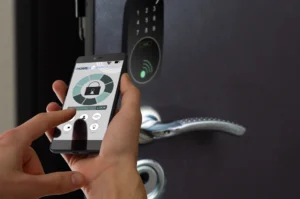
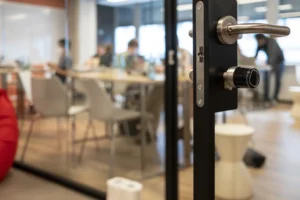
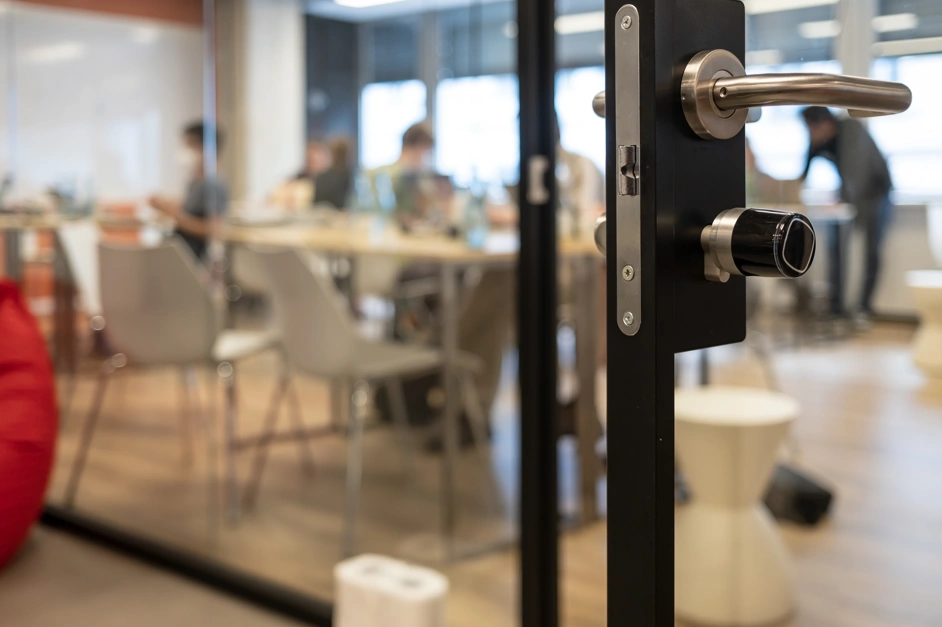
Digital locks open with a PIN code, a proximity or smart card, a mobile credential over Bluetooth or NFC, or a fingerprint, and they come as standalone units or as networked locks tied to cloud software. The good commercial models are still built to ANSI/BHMA Grade 1 or Grade 2, so you are not trading strength for smarts.
What they add is control. You grant or revoke a person’s access in seconds from a dashboard, so a departing employee is locked out the moment they leave, with no rekey and no locksmith visit. The lock keeps an audit trail, logging who entered and when, which matters for a server room, a records room, or anywhere cash or client data lives. You can set time-based access so a cleaning crew’s code works only after hours, issue one-time codes for a visitor, require two factors like a code plus a card, and set auto-lock so a door re-secures itself after 10 to 60 seconds instead of drifting open. Tied into a full access control system, a multi-door office runs from one screen.
The trade-offs are worth knowing. Digital locks cost more, generally $200 to $850 per opening for solid commercial hardware. They run on batteries that last about 6 to 12 months and drain faster in cold or heavy use, so low-battery alerts and a mechanical key override are must-haves. Connected models add network security to the list, and a standalone keypad that stores codes locally needs a policy for changing them, or an insider risk creeps in. Codes can be shoulder-surfed too, which longer six-to-eight-digit codes and a scrambling keypad help prevent.
How Digital and Mechanical Locks Compare Side by Side?
The clearest way to weigh them is on the points that actually cost you time and money:
| Factor | Mechanical locks | Digital locks |
| Access changes | Rekey or new keys | Instant, no rekey |
| Audit trail | None | Logs every entry |
| Power or network | Not needed | Battery, sometimes network |
| Upfront cost per door | $80 to $500 | $200 to $850 |
| Lost credential | Rekey $100 to $200 | Delete the code or card |
| Works in an outage | Yes | Battery, with key override |
The pattern is plain. Mechanical wins on simplicity and first cost. Digital wins on control and on the running cost of managing people, which is where most offices actually spend.
Why ‘Commercial Grade’ Is Not the Same as Certified?
This is where buyers get burned, so it is worth slowing down. The phrase “commercial grade” is a marketing term, not a certification. A lock earns real credibility from two things: an ANSI/BHMA grade and, where it applies, a UL listing. The Builders Hardware Manufacturers Association publishes the A156 grade standards, where Grade 1 is the heavy-duty commercial tier built for over a million cycles. On top of that, UL 305 covers panic exit hardware and UL 1037 covers electronic and high-security locks, so a genuine product carries the mark, not just the claim.
Two details protect you here. First, the grade applies to the whole lockset, not just the cylinder or the handle, so a “Grade 1 cylinder” on a weaker body is not a Grade 1 lock. Second, ask any supplier for the ANSI grade and the UL listing in writing. A commercial locksmith in DC who knows the codes will point you to hardware that carries both, which is the difference between a lock that passes a fire inspection and one that only looks the part.
Why a Hybrid Lock System Works Best for Most Offices?
Most offices do best with a mix, matching the lock to the job of each door rather than forcing one type everywhere:
- Main entrances and shared doors. Digital access control with a Grade 1 rating, so you manage the most-used doors and cancel access fast.
- Server rooms, records, HR, and cash areas. Digital with an audit trail and multi-factor entry, or a high-security mechanical cylinder, since these doors need proof of who entered.
- Interior and low-traffic doors. A Grade 2 mechanical lock is simple and affordable where access rarely changes.
- Emergency exits. These follow egress and fire code, so they must allow free exit from inside, and any electronic lock has to fail in a way that never traps people.
Running mechanical on the quiet doors and digital on the busy and sensitive ones often gives the best security for the money.
How to Choose Between Digital and Mechanical Locks?
The decision comes down to a few honest questions about how your office runs:
- How often do people come and go? High turnover or lots of contractors points to digital, since instant revoke beats constant rekeying.
- How many doors and users? A large or growing team scales better on access control than on a bag of keys.
- What are you protecting? Sensitive rooms want an audit trail or high-security hardware.
- What is the budget, now and later? Mechanical is cheaper today, while digital saves on the rekeys and lost-key costs that add up over years.
- How reliable is your power and network? If either is shaky, favor mechanical or standalone digital with battery backup and a key override.
Stop Guessing Who Still Has Access to Your Office
Every week you run on a lock system that cannot tell you who holds a working key, you are one resignation or one lost keyring away from an open door and an expensive scramble to rekey. That risk grows quietly until the day it does not.
We at Payless Locksmith work on office security across Washington, DC, from Grade 1 mechanical hardware and master key systems to keypad, card, and full access control setups. We look at your doors, your traffic, and your sensitive rooms, then recommend the right mix and the right certified hardware, so you pass inspection and control access without paying for parts you do not need.
Stop guessing who can still get in. Contact Payless Locksmith in Washington, DC for an office lock assessment, and get a system that lets you cancel access with a click before the next employee walks out the door.
FAQs
Are digital locks more secure than mechanical locks for an office?
They can be, since they add audit trails, instant access changes, and multi-factor entry. Mechanical locks resist digital attacks and outages. The strongest setup often pairs a Grade 1 lock body with electronic access control.
What happens to a digital lock if the power or internet goes out?
Most run on batteries independent of building power, so they keep working through an outage. Networked features may pause, but the lock still opens by code or card, and a good one includes a mechanical key override.
How much does it cost to switch an office to digital locks?
Commercial digital locks run about $200 to $850 per opening, plus installation, against $80 to $500 for mechanical hardware. The savings show up later, since you skip the $100 to $200 rekey every time a key is lost.
Do digital locks meet fire and building codes?
Only if specified correctly. Exit doors must allow free egress, and electronic locks on them have to fail safe. Look for ANSI/BHMA grades and UL listings such as UL 305 and UL 1037 rather than a “commercial grade” label.
Can I use both digital and mechanical locks in one office?
Yes, and many offices do. Digital access control fits main and sensitive doors, while Grade 2 mechanical locks handle quiet interior doors, which balances control against cost.